

As a supplier of cutting discs for metal, I've encountered numerous customers facing issues with their cutting discs not performing as expected. In this blog, I'll share some insights on how to troubleshoot a cutting disc for metal that is not cutting effectively.
1. Check the Compatibility of the Cutting Disc
The first step in troubleshooting is to ensure that the cutting disc is compatible with the metal you're trying to cut. Different metals have different hardness levels and compositions, and using the wrong cutting disc can lead to poor performance. For example, cutting stainless steel requires a cutting disc specifically designed for stainless steel, as it has a higher chromium content that can cause normal cutting discs to wear out quickly.
We offer a wide range of cutting discs for different types of metals. Our Rail Cutting Disc is designed for cutting rails, which are usually made of high - strength steel. It has a special abrasive formula that can handle the tough nature of rail metal. If you're working with high - performance alloys or stones, our Alloy&stone Cutting Disc is a great choice. It combines the ability to cut through hard alloys and stones effectively.
2. Examine the Condition of the Cutting Disc
A damaged or worn - out cutting disc will not cut effectively. Look for signs of damage such as cracks, chips, or uneven wear on the cutting edge. Cracks can cause the disc to break during operation, which is extremely dangerous. If you notice any cracks, immediately stop using the disc and replace it.
Uneven wear can also be a problem. This can occur if the disc is not properly centered on the cutting machine or if the cutting pressure is uneven. To check for uneven wear, visually inspect the cutting edge. If one side of the disc is significantly more worn than the other, it's time to replace the disc.
Our Ceramic Corundum Cutting Disc is made of high - quality ceramic corundum abrasive. This material is known for its durability and long - lasting cutting performance. However, even with high - quality discs, proper usage and regular inspection are essential to ensure optimal performance.

3. Evaluate the Cutting Machine
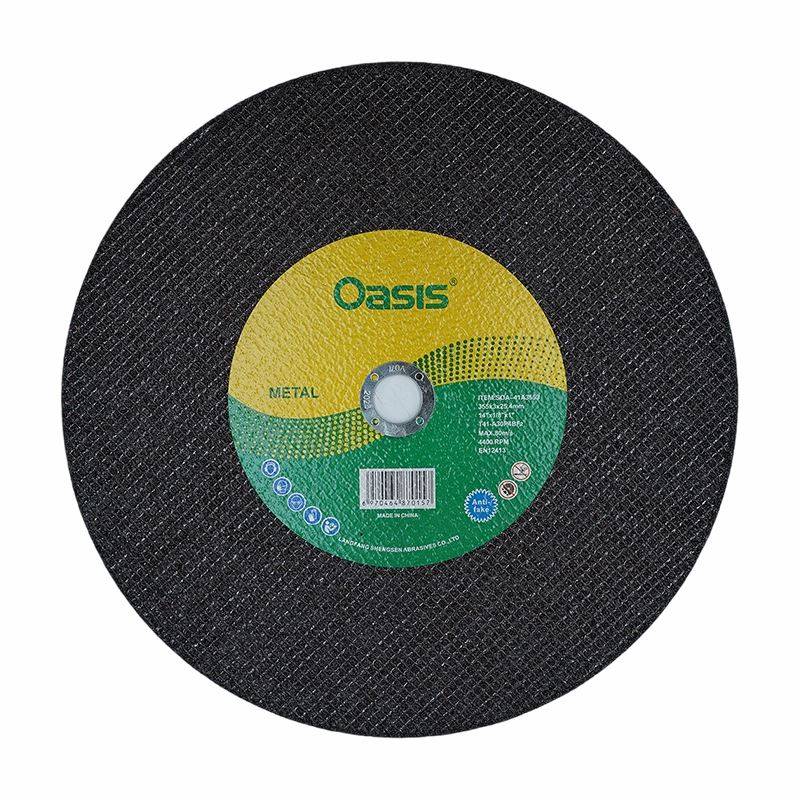
The cutting machine itself can also be a factor in the poor cutting performance of the disc. Check the speed of the cutting machine. Using a cutting disc at the wrong speed can lead to ineffective cutting. Each cutting disc has a recommended operating speed, which is usually marked on the disc. If the machine is running too fast or too slow, it can cause the disc to wear out quickly or not cut through the metal properly.
Also, inspect the arbor of the cutting machine. A loose or damaged arbor can cause the cutting disc to wobble during operation, resulting in uneven cutting and premature wear of the disc. Make sure the arbor is clean, properly tightened, and in good condition.
4. Analyze the Cutting Technique
The way you use the cutting disc can significantly affect its cutting performance. Applying too much pressure can cause the disc to overheat and wear out quickly. On the other hand, applying too little pressure may result in the disc not being able to penetrate the metal effectively.
When cutting, maintain a steady and consistent pressure. Let the cutting disc do the work, and avoid forcing it through the metal. Also, make sure to use the correct cutting angle. A proper cutting angle can improve the cutting efficiency and reduce the wear on the disc.
5. Consider the Environment
The environment in which you're using the cutting disc can also impact its performance. Dust and debris can accumulate on the cutting disc, reducing its cutting ability. Make sure to keep the work area clean and use appropriate dust collection systems if possible.
High humidity can also affect the cutting disc. Moisture can cause the abrasive grains on the disc to become dull more quickly. If you're working in a humid environment, take extra care to protect the cutting disc and dry it thoroughly after use.
6. Consult the Manufacturer's Guidelines
If you're still having trouble with the cutting disc not cutting effectively, refer to the manufacturer's guidelines. These guidelines provide detailed information on the proper use, maintenance, and troubleshooting of the cutting disc. They can also offer specific solutions to common problems.
As a supplier, we're always ready to assist our customers. If you have any questions about our cutting discs or need help with troubleshooting, feel free to contact us. We can provide you with more in - depth technical support and advice based on your specific situation.
Conclusion
Troubleshooting a cutting disc for metal that is not cutting effectively requires a systematic approach. By checking the compatibility of the disc, examining its condition, evaluating the cutting machine, analyzing the cutting technique, considering the environment, and consulting the manufacturer's guidelines, you can identify and solve the problem.
If you're in the market for high - quality cutting discs for metal, we're here to provide you with the best products and services. Our range of cutting discs, including Rail Cutting Disc, Ceramic Corundum Cutting Disc, and Alloy&stone Cutting Disc, is designed to meet the diverse needs of our customers.
If you're interested in purchasing our cutting discs or have any questions about our products, please don't hesitate to contact us for further discussion and negotiation. We look forward to working with you to meet your cutting needs.
References
- Metal Cutting Handbook, Industrial Publishing Company
- Cutting Tool Technology Guide, Technical Research Institute